Ready for your next career move? We’ve got new opportunities at RPC.
Ready for your next career move? We’ve got new opportunities at RPC.
Learn More 
 Oracle Primavera Specialists


 Back
Back
Back
Back
Back
Back
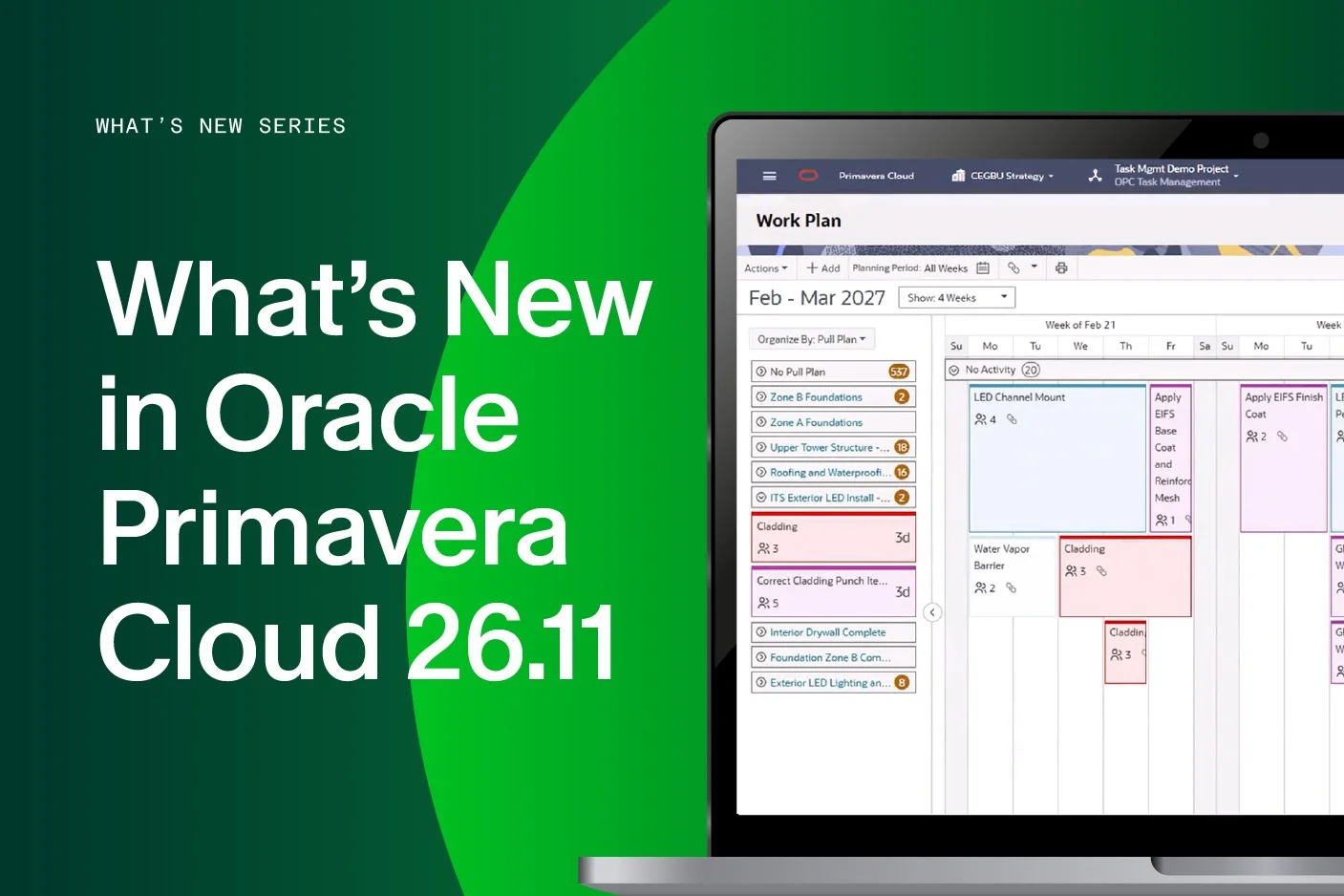
We’re increasingly hearing questions from our clients about OPC – particularly those moving to a Primavera solution from Microsoft Project Online and we’re used to sharing our advice on the pros and cons of OPC alongside its Primavera stablemate, P6. We asked RPC Consultant and resident OPC / P6 expert Emmanuel Dashit to take a look at Oracle’s documentation around the latest release, Oracle Primavera Cloud 26.11 to pick out the key enhancements our customers need to know about.
This new version introduces a number of enhancements aimed at making it easier for project teams to collaborate, manage interconnected schedules and make better use of risk information. While some of the changes are relatively small usability improvements, others could have a much more significant impact on the way organisations use OPC, so here are Manny’s picks of the most important additions and what they mean to users in practice.
.png)
Perhaps the standout addition in 26.11 is Pull Planning. Oracle describes a pull plan as a collaborative way of planning a particular phase of a project by starting with the required finish milestone or activity and working backwards to determine the tasks, milestones, durations, crew sizes and hand-offs required to achieve it. Unlike the Work Plan, the developing pull plan works with task durations rather than calendar dates.
Planning takes place through the Planning Board, while a Parking Lot provides somewhere to hold tasks that have not yet been incorporated into the planned sequence. During collaborative planning sessions, participants can add and rearrange tasks, create hand-offs and see changes being made by other participants.
What does this mean for users?
This has the potential to be much more than another scheduling feature. Pull planning is designed around the way teams actually collaborate to determine how work will be delivered, rather than simply recording the resulting dates in a schedule afterwards.
For construction and engineering organisations using collaborative or lean planning techniques, teams can now bring more of this activity directly into OPC.
The workflow also introduces useful governance. Pull plans progress through three states: In Planning, Approved and Released to Work Plan. Once approved, the Planning Board becomes read-only; once released, its tasks and milestones become available within the Work Plan.
This creates a clearer route from collaborative planning into controlled project execution and should help reduce the disconnect that can develop between workshop planning, short-term planning and the formal project schedule.
.png)
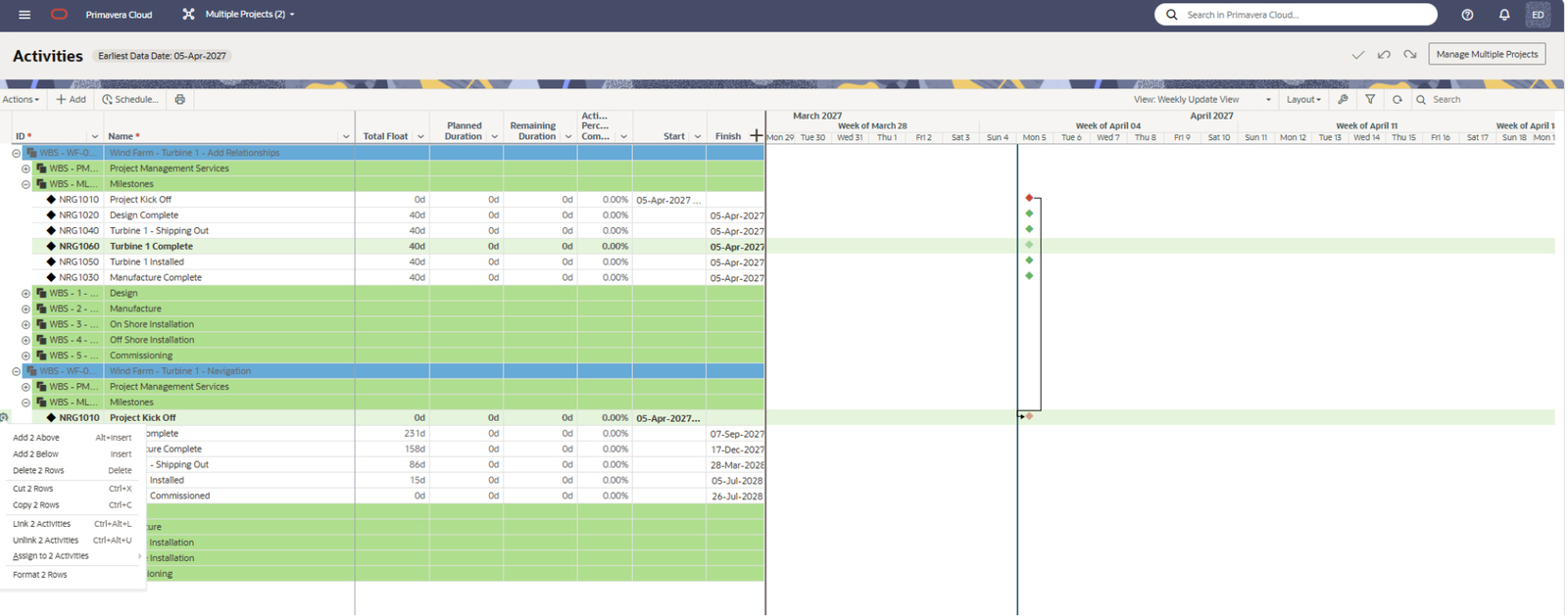
Another substantial improvement is the ability to open and update multiple project schedules at the same time without first adding them to a program. Users can work across projects in one view, establish relationships between activities belonging to different projects and copy and paste activities between project schedules. Multiple projects can also be scheduled together, either retaining their individual Data Dates or using a common Data Date.
Why is this important?
For planners and project controls teams managing interconnected projects, this could remove a considerable amount of friction. Projects rarely operate entirely independently. An activity on one schedule may depend on engineering, procurement or delivery activity sitting within another. Previously, managing those dependencies could require additional structures or separate coordination processes.
Being able to see and manage those relationships together should make it easier to:
For organisations managing a portfolio of related projects, this is likely to be one of the most immediately useful enhancements in the release.
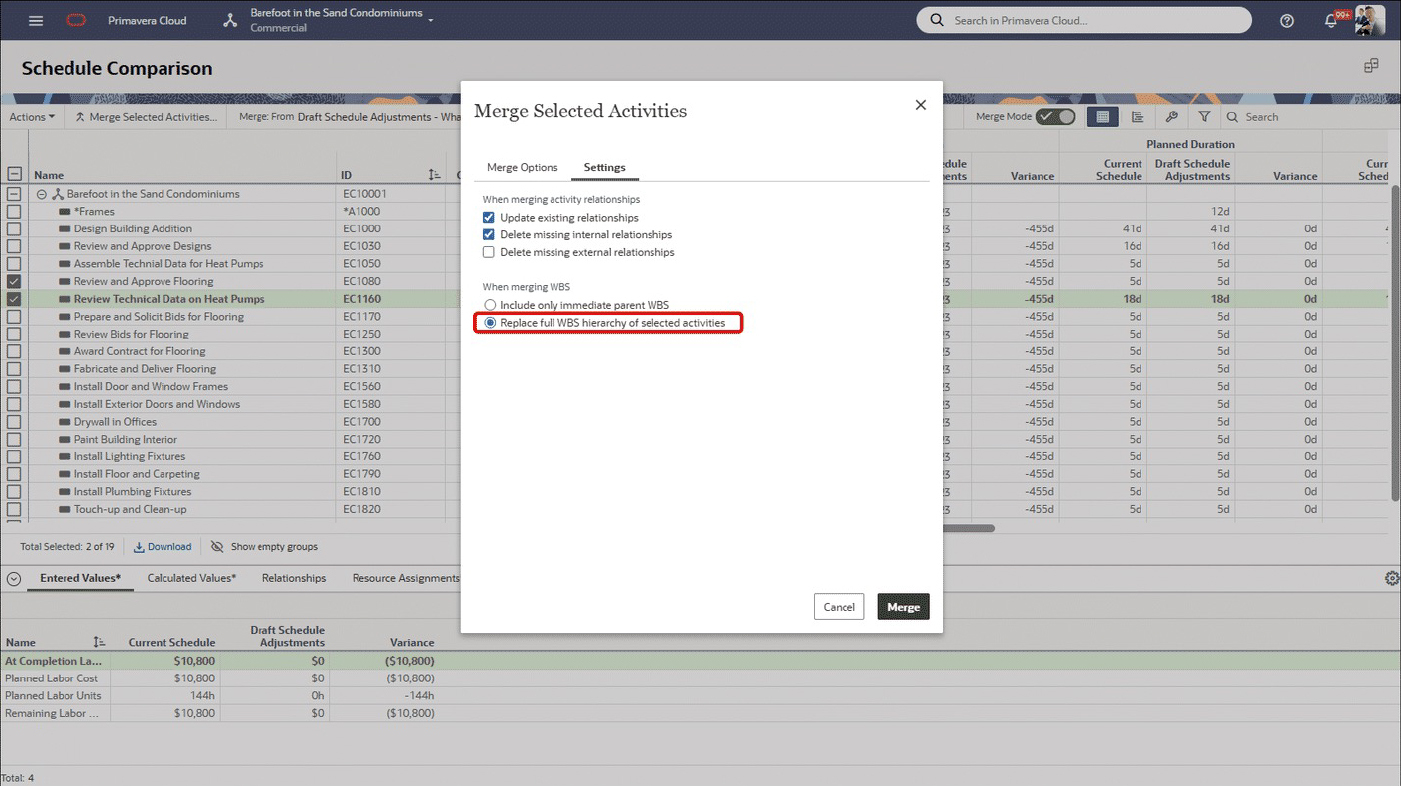
Schedule comparison has also been enhanced. Users can now merge Work Breakdown Structure (WBS) changes, including the full WBS hierarchy associated with selected activities, from a source schedule into a target schedule. It may sound like a relatively technical improvement, but maintaining the correct WBS structure is fundamental to effective schedule governance.
For teams regularly comparing and reconciling schedules, being able to carry the associated hierarchy across as part of the merge should make it easier to maintain consistency and reduce the manual work needed after changes have been incorporated.
There are two noteworthy developments around risk. OPC users can now create reports, charts and dashboards using risks contained within the organisation's Risk Library, together with project risks linked to library risks. This potentially makes the Risk Library considerably more valuable at an organisational level. Instead of risk information remaining primarily project-specific, organisations can use it to look for patterns across projects, compare risk information and learn from previous project experience.
For project controls and risk teams, that creates opportunities to answer questions such as:
Over time, that can help move risk management away from treating each project's risk register in isolation and towards building a reusable body of organisational knowledge.
Oracle has also added help icons within Risk Analysis views explaining configuration options, including the way distribution and contingency colours are applied. It is a smaller change, but one that should make Risk Analysis outputs easier to configure and interpret.
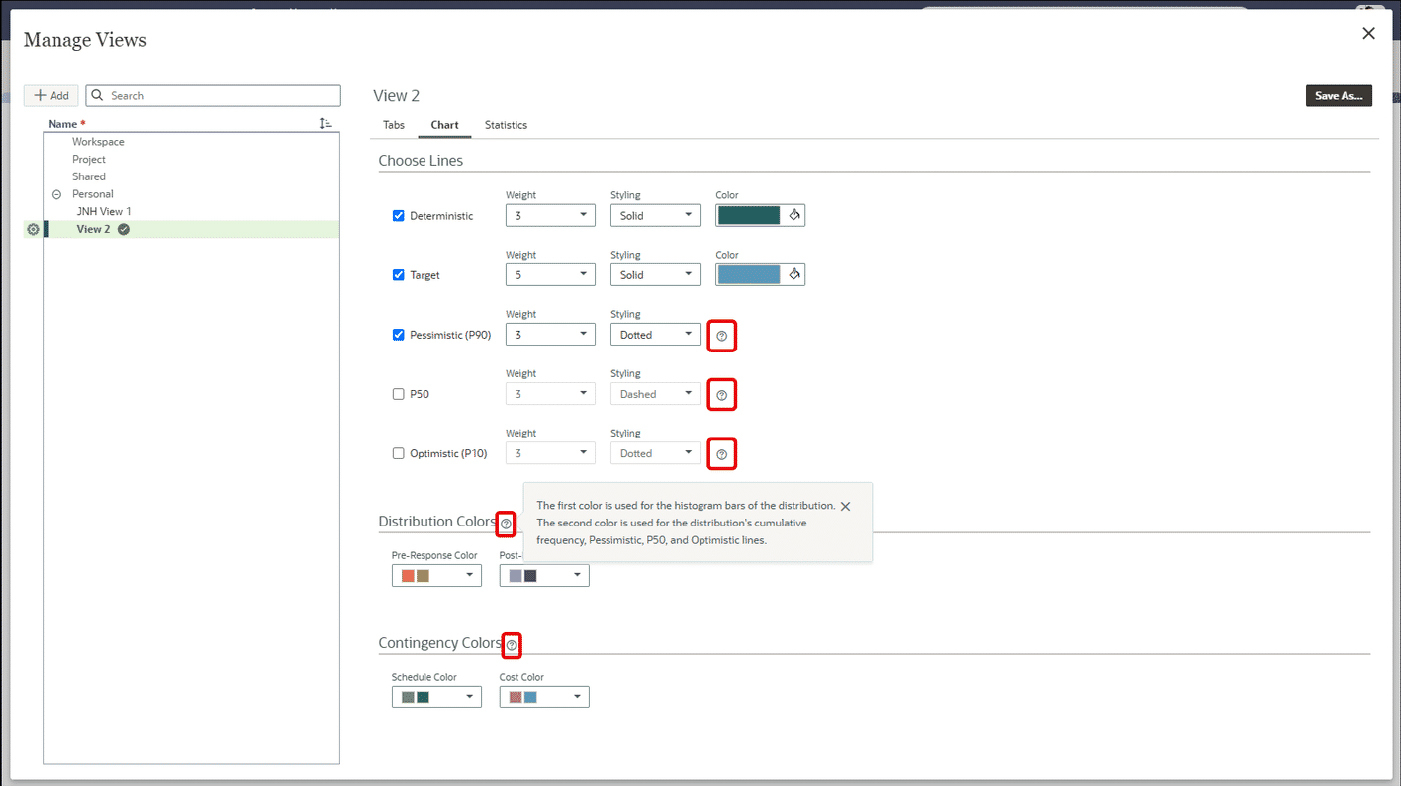
The new release also includes several usability enhancements.
The Activities page now shows loading indicators for individual grids during loading and refresh, allows users to switch saved views while loading is taking place, and provides improved handling of loading and connection errors.
Saved View selection lists have been widened so longer names can be identified without opening another screen, while object-selection dialogs now provide more room for names and IDs.
Another useful enhancement affects adding a WBS from an existing project or template. Users can choose either to generate new Activity IDs using the destination project's numbering rules or retain the Activity IDs from the source. Where duplicates occur, Primavera Cloud identifies the affected activities and suggests unique alternatives, which users can accept or replace.
These may not transform project controls processes individually, but they address the small usability issues that affect efficiency when users work in the system every day.
Budget Planning now provides more specific validation when users attempt Send for Approval or Propose actions on a scenario that already contains projects in Proposed status. Rather than presenting a generic problem, the message identifies the affected projects by name, ID and total count, helping users find and resolve the issue before progressing the scenario. Again, it is a relatively small enhancement, but clearer validation usually means less time spent working out why a process cannot move forward.
There is also an important authentication change during November for users whose organisations use Oracle-managed Identity Domains, rather than managing their own Identity Domain. Affected users will be required to reset their password one final time as the changes are introduced and then the following will apply:
Organisations using their own Identity Domains should note that Oracle specifically identifies the change as applying to users whose organisations do not manage their own Identity Domains.
There is plenty in 26.11 worth exploring, but we think three areas deserve particular attention.
The most interesting theme in Oracle Primavera Cloud 26.11 is the continued move towards bringing different levels of project planning and control into one environment. Pull Planning strengthens the connection between collaborative planning and the Work Plan. Multi-project scheduling makes it easier to deal with dependencies beyond the boundary of a single project. Risk Library reporting, meanwhile, encourages organisations to look across projects and learn from their collective risk experience.
Individually these are useful improvements. Taken together, they make OPC increasingly capable of supporting the wider project-controls process rather than simply individual planning and scheduling activities.
For existing users, the question therefore isn't just what has changed, but ‘Which of these changes could improve the way we currently work?’. If you're using OPC and would like to understand how the latest functionality could support your planning, scheduling or project controls processes, RPC can help you review your current configuration and identify where the new capabilities can add value. Get in touch to find out more.